GPT-6.2 is out in ChatGPT. Try it on one document your office already makes.
OpenAI upgraded its top ChatGPT model, and the pitch is better documents, spreadsheets and slides. Test it on one document your office already makes.
 Joe Hill
The short answer
OpenAI released GPT-6.2 Astra and GPT-6.2 Sol on November 17, 2026. Astra is the upgrade of its top model, and OpenAI says its documents, spreadsheets and slides read less like AI and follow your templates more closely. Both are in ChatGPT Work and Codex on the Plus, Pro, Enterprise and Edu plans. Test one on a document your office already makes.
The story
OpenAI released two new models (opens another site) on November 17, 2026. GPT-6.2 Astra is the upgrade of its top model, the one OpenAI calls its frontier model for your hardest projects. GPT-6.2 Sol is its model for everyday work. Both reached the Plus, Pro, Enterprise and Edu plans the same day. SiliconANGLE (opens another site) and The Decoder (opens another site) covered the release.
OpenAI says it trained Astra to make clearer, better designed slides, spreadsheets and documents that follow the conventions people use in fields like law, sales, finance and accounting, with writing that is more direct and has less filler. It says Astra's documents read less like AI and follow the templates you give it more closely, and that it can match a slide template's layout, colors and type from the original file or a screenshot. If your office sends proposals, estimates or monthly reports off a template, you can check that claim yourself.
For Sol, OpenAI says it's smarter and more efficient than the Sol before it and lets you complete more tasks on the same paid plan. It says both models get better results on demanding tasks with fewer output tokens, so you get more done within your usage limits.
The new models are in ChatGPT Work and Codex. A rollout note on OpenAI's developer forum (opens another site) says this release doesn't add either one to regular Chat, so if you open ChatGPT, type in the usual chat box and see nothing new, that's why. OpenAI also reports that in two of its tests the new models were more likely to leave out that something blocked their work, such as a missing file or a search tool that wasn't available. OpenAI says it added instructions in Codex that substantially reduce this and that it's still investigating.
The announcement lists benchmark wins over OpenAI's last Astra and over Claude Fable 5.2, the Anthropic model I wrote about last week. The Decoder reports that the Artificial Analysis Intelligence Index has Astra second, just behind Fable 5.2, and neither score tells you how it does on your paperwork.
Test it on one document your office already makes
Pick one document your office makes off a template and already has a finished, correct copy of. Give GPT-6.2 Astra the template and the same raw information your person started from, and compare what comes back with what your office sent. Then run the same job on Sol. If Sol's version is as good, I'd use Sol for that job and keep Astra for the hard ones, because OpenAI's usage estimates (opens another site) show a plan's allowance going further on Sol than on Astra.
Before you start
- The new models are in ChatGPT Work and Codex. The rollout note on OpenAI's forum says they weren't added to regular Chat.
- OpenAI's announcement names the Plus, Pro, Enterprise and Edu plans. Its pricing page also lists Business.
- The Free plan isn't on either list.
- On Enterprise and Edu, both models are off until an admin turns them on.
- The rollout is still in progress, so your account may not show them yet.
- Have a person check the result before anything leaves the office.
Have the person who makes that document today judge the result, since they know what a right one looks like.
How to try it yourself
You need a ChatGPT plan that has the new models, one template, and a finished document made from it that you know is right.
- Open ChatGPT WorkGo to ChatGPT Work on the web, your phone or the desktop app and look for GPT-6.2 Astra and GPT-6.2 Sol (OpenAI's pricing page (opens another site) lists the plans and apps they run in). If you use the desktop app and don't see them, the rollout note (opens another site) says to update the app from Menu > Check for Updates and restart it. On Enterprise and Edu plans an admin has to turn the models on first.
- Give it the template and the raw materialUpload your template and the same notes, numbers or intake form your person started from, and ask for the finished document. For slides, OpenAI says Astra can follow a template from the original file or from a screenshot.
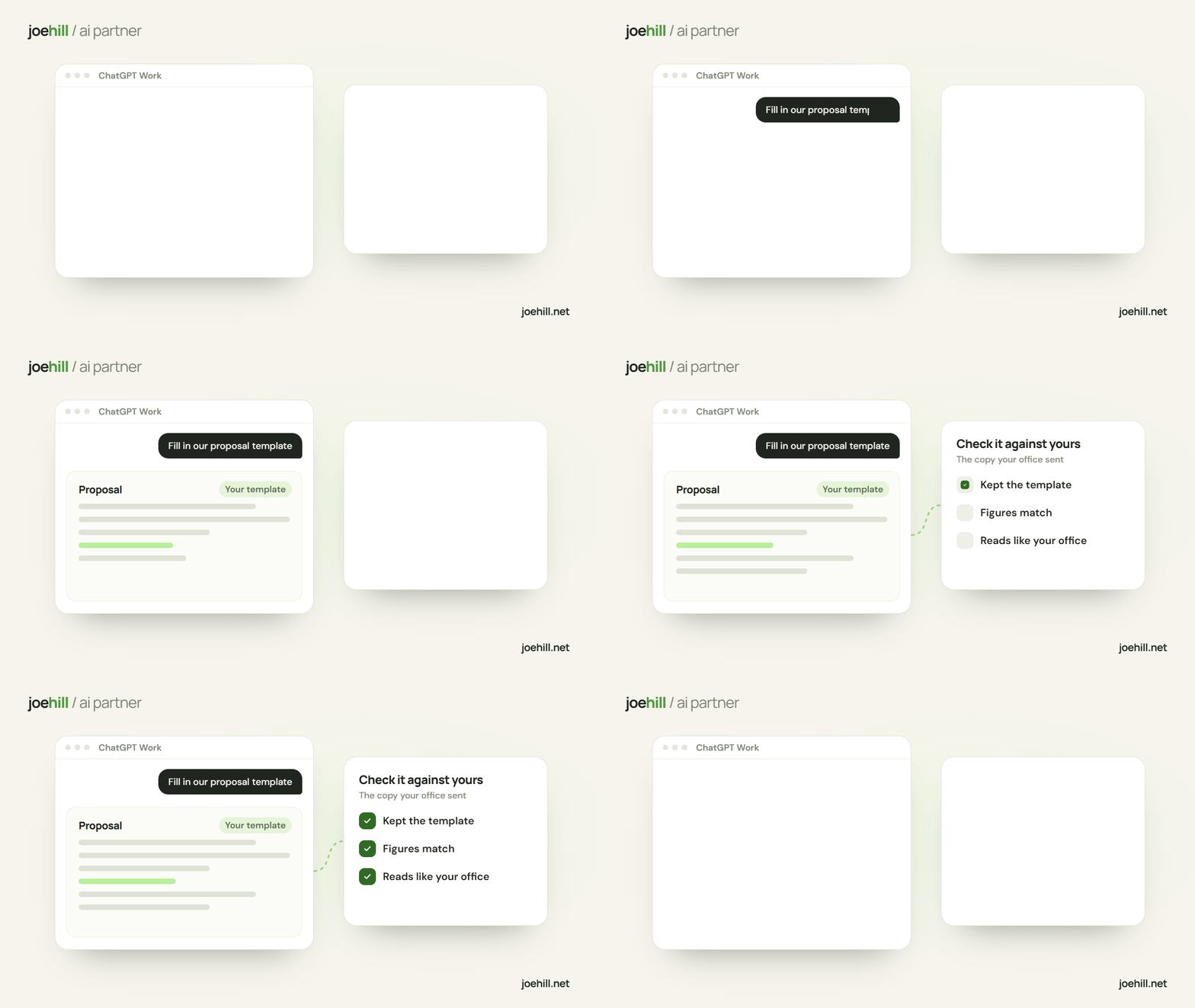
- Compare it with the one you sentPut its version next to the one your office sent. Check whether it kept the template, whether every number is right, and whether it reads like your office wrote it. OpenAI says (opens another site) Astra's documents read less like AI and follow the conventions of your field more closely, and your finished copy shows whether that holds for your paperwork.
- Ask what it couldn't doBefore you trust a result, ask it plainly whether any file failed to open or anything it needed was missing. OpenAI reports that in two of its tests the new models were more likely to leave out that something blocked their work. If a file didn't load, you want to hear that before the document goes out.
- Run the same job on SolGive Sol the same template and the same raw material. OpenAI calls Sol its efficient, versatile model for everyday work. If it does this job as well as Astra, use it, and your plan's limit goes further.
- Mind what you uploadFor a first test, use your own business's paperwork, with customer names and numbers taken out or made up. The two questions I ask before AI sees customer data apply here too.
- Leave alone what already worksIf a prompt or an automation already does its job on the model you have, keep it there. Move a job when your test shows the new model did it better.
Let's test GPT-6.2 on one of your documents.
If you'd rather have it done for you, I'll run the test with you: pick the document, run it on Astra, on Sol and on what you use now, check each result against the one your office sent, and tell you whether anything is worth moving. If something is, I'll set it up and go over how your customer data is handled while I'm at it.
Keep reading
Claude Fable 5.2 is out. Try it on one hard job this week.
Anthropic's top Claude model got an upgrade. Test it on one hard job while the launch offer runs, and keep what already works.
I build AI agents. Check these before you pay for one.
Sellers pitch AI receptionists hard, and owners can't tell a good one from a bad one.

I let Claude Code build my home golf courses in a video game
The course designer in my golf game is a bear, and the data to build real courses is free. So I let Claude Code build the ones from back home.