Gemini 4 Neon wants to be your everyday AI model. Try it on one job before you switch anything.
Google's new Gemini 4 Neon is going after the AI model you use every day, and that's good for owners. Why I'm staying on Claude for now, and how to test Neon on one job.
 Joe Hill
The short answer
Google released Gemini 4 Neon on November 18, 2026. On Artificial Analysis's Intelligence Index it scores 61 to Claude Opus 5.5's 59, and its token prices are 25% lower. I'm staying on Claude for now, because in my use Neon seems to need more specific prompts. If you pay for Google AI Pro, test it on one document job.
The story
Google released Gemini 4 Neon (opens another site) on November 18, 2026, and I think it's good news for anybody who pays for AI. Google already has Gemini 4 Carbon for the most complex work. I read Neon as Google going after the everyday model, the one you leave selected and use for most of what you do. For me that's Claude Opus 5.5. A strong second choice for that job means more options for an owner and more pressure on everybody's prices.
On Artificial Analysis's Intelligence Index (opens another site), an independent scorecard, Neon at its top setting scores 61 and Opus 5.5 at its top setting scores 59. That's 2 points, and it puts Neon third overall (opens another site), behind GPT-6.2 Astra and Claude Fable 5.2. Neon's token prices (what software pays for the text going in and coming out) are $3 and $15 per million tokens, against $4 and $20 for Opus 5.5 (opens another site), which works out to 25% lower (VentureBeat (opens another site)). Neon also takes speech and video, where Opus 5.5 takes text and images. On two coding tests in Google's own model card, Opus 5.5 is slightly ahead on both (eWeek (opens another site)).
A lower token price doesn't always mean a cheaper job, though. Flavio Copes, who ran his own tests against Opus 5.5 (opens another site), called Neon a good model that got every one of his tests right and costs a lot less on long inputs. On one short coding task, Neon spent 5,495 reasoning tokens where Opus spent 694, and he put Neon at about 3 times the cost for that task. Artificial Analysis's test suite went the other way: $6.44 per task for Neon and $10.04 for Opus 5.5.
I use Claude every day (Fable, Opus and Claude Code), and I'm staying there for now. I have two reasons, and both are my own view from my own use. First, Google was behind for a long while, and I don't think enough people work in Gemini day to day yet for Neon to take Opus 5.5's place, even if it's good enough to. Second, Neon seems to want much more specific instructions. Over the last six months or so, Claude has gotten to where I barely think about how to word a request, and "prompt engineering" has about stopped being a thing I do. If two models are equally good and one of them needs everything spelled out, the spelling out costs a business owner more than 2 benchmark points save.
Other Claude users are looking at it too. A small agency owner wrote on Reddit (opens another site) that Neon is "the first Google model that's made me seriously consider moving some of that over," and plans to run it side by side with Opus 5.5 on actual work. I'd do it the same way.
The pace of these releases affects how you buy. Google announced Gemini 4 Argon (opens another site) on September 30, and a Decoder headline (opens another site) called it closer to the AI frontier than any Google model in months. Carbon became generally available on November 10, under a Decoder headline saying it arrived "just in time to feel like yesterday's news." (opens another site) Neon came out eight days later and replaced Argon in the Gemini app (opens another site). Artificial Analysis counts four Google models in seven weeks. If you had rebuilt your office around Argon in October, you'd be looking at doing it again already. I'd settle on a model that does your work, and when a new one comes out, test it on that same work before you move.
Try it on one document job, and count how much you had to explain
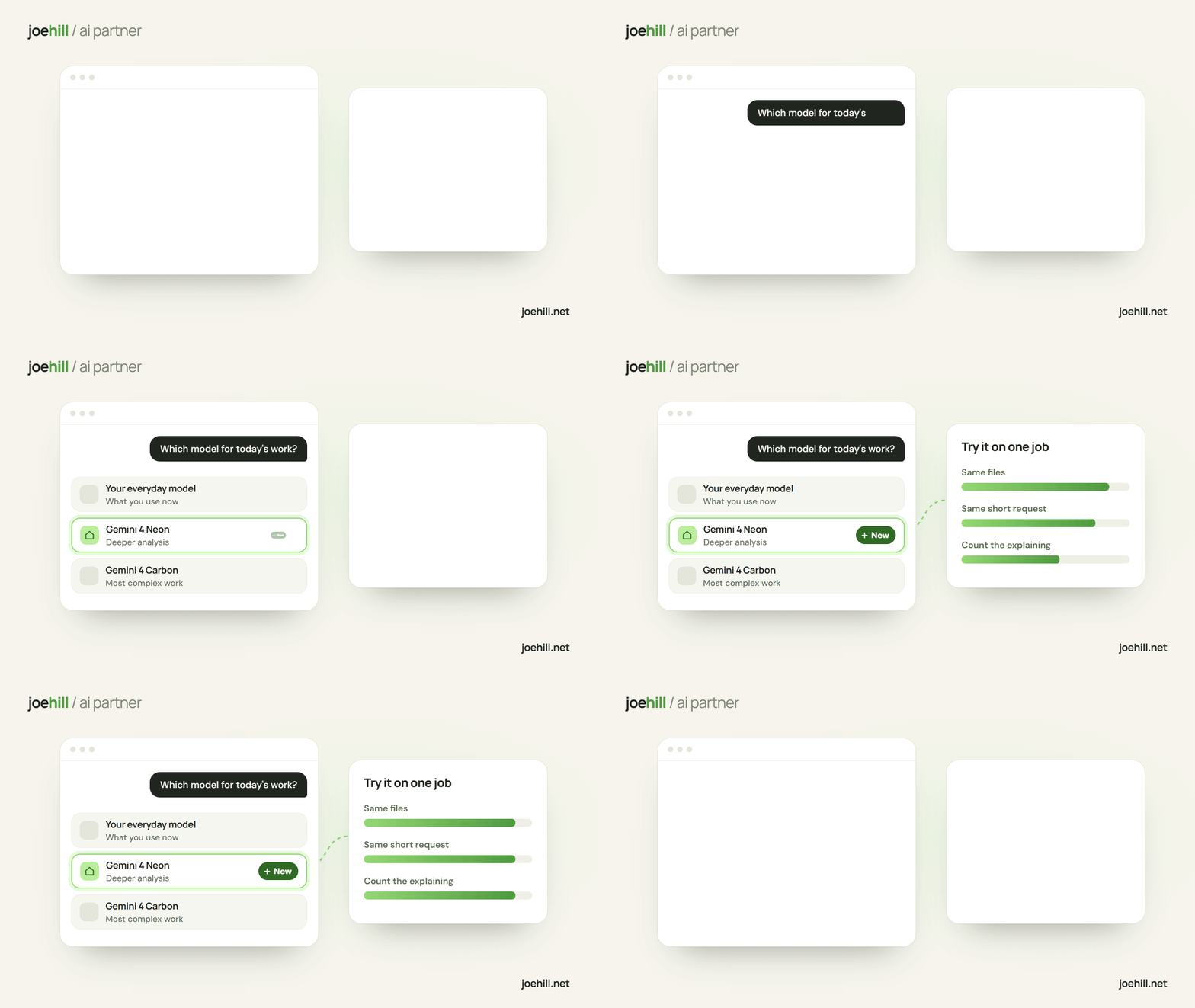
If your office already runs on Gmail and Google Docs and you pay for Google AI Pro, Neon is the "Deeper analysis" choice in the Gemini app's model picker (9to5Google (opens another site)). Take one document-heavy job you finished recently and give Neon the same files and the same short request you'd give the tool you use now. Judge the two by the result and by how much you had to explain to get it. If the tool you have does the job with less explaining, I'd stay put. If Neon matches it and you're already paying Google, you may have found your everyday model in a subscription you already have.
Before you start
- In the Gemini app, Neon is for paid Google AI Pro and Ultra subscribers.
- Look for "Deeper analysis" in the model picker. Neon replaced Argon there.
- The two scores are 2 points apart. Test on your own work before you decide anything.
- A lower token price doesn't always mean a cheaper job. Neon can think longer on short tasks.
- For a first test, use your own paperwork with customer details taken out.
- Have a person check the result before anything leaves the office.
Have the person who does that job today run both, since they'll know how much explaining each one took.
How to try it yourself
You need a Google AI Pro or Ultra subscription, the Gemini app, and one finished job with documents where you already know the right answer.
- Pick "Deeper analysis"Open the Gemini app, open the model picker and choose "Deeper analysis." That's Neon for AI Pro and Ultra subscribers (9to5Google (opens another site)). Google's announcement (opens another site) says it's rolling out to Pro and Ultra subscribers in the Gemini app, and to Gemini for business through the model dropdown.
- Give it a job with documents in itGoogle says Neon in the Gemini app reads uploads like spreadsheets, PDFs and photos more precisely, turns dense material into reports and summaries, and pulls in details from Google apps like Gmail and Docs. Pick a job like that, one you've already done by hand. For an HVAC shop that could be a season of invoices in a spreadsheet, for a law office a long contract, for a real estate agent an inspection report.
- Ask the way you'd ask a personType the request the way you'd say it to somebody in your office, in a sentence or two, and don't dress it up. Then give the tool you use now the same files and the same words.
- Count the explainingCheck both results against the answer you already know. Then count how many times you had to go back to each one and say what you meant. That's where the two differ most in my use. Yours may go differently, so run it and see.
- If you pay by the token, price the finished jobOn a subscription you can skip this one. If your software pays by the token, compare what the finished job cost on each model. Google gives Neon four thinking levels so a team can set how much it spends on each kind of work, and eWeek (opens another site) worked out from Artificial Analysis's tests that the extra-high level raised the average cost per task about 72% over the high level, for one more point of score. Try the settings on your own work before you pick a default.
- Mind what you uploadNeon can pull details out of Gmail and Docs, so think about what's in there before you point it at them. For a first test, use your own business's paperwork with customer names and numbers taken out. The two questions I ask before AI sees customer data apply here too.
- Leave alone what already worksIf a prompt or an automation already does its job on the model you have, keep it there. Move a job when your own test shows the new model did it as well with less effort from you, or did it better.
Let's test Neon on one of your jobs.
If you'd rather have it done for you, I'll run the test with you: pick the job, run it on Neon and on what you use now, check both results against the answer you already know, and tell you whether anything is worth moving. If something is, I'll set it up and go over how your customer data is handled while I'm at it.
Keep reading
GPT-6.2 is out in ChatGPT. Try it on one document your office already makes.
OpenAI upgraded its top ChatGPT model, and the pitch is better documents, spreadsheets and slides. Test it on one document your office already makes.
Claude Fable 5.2 is out. Try it on one hard job this week.
Anthropic's top Claude model got an upgrade. Test it on one hard job while the launch offer runs, and keep what already works.
I build AI agents. Check these before you pay for one.
Sellers pitch AI receptionists hard, and owners can't tell a good one from a bad one.